How to Check If a Backlink Is Dofollow: 4 Free Methods
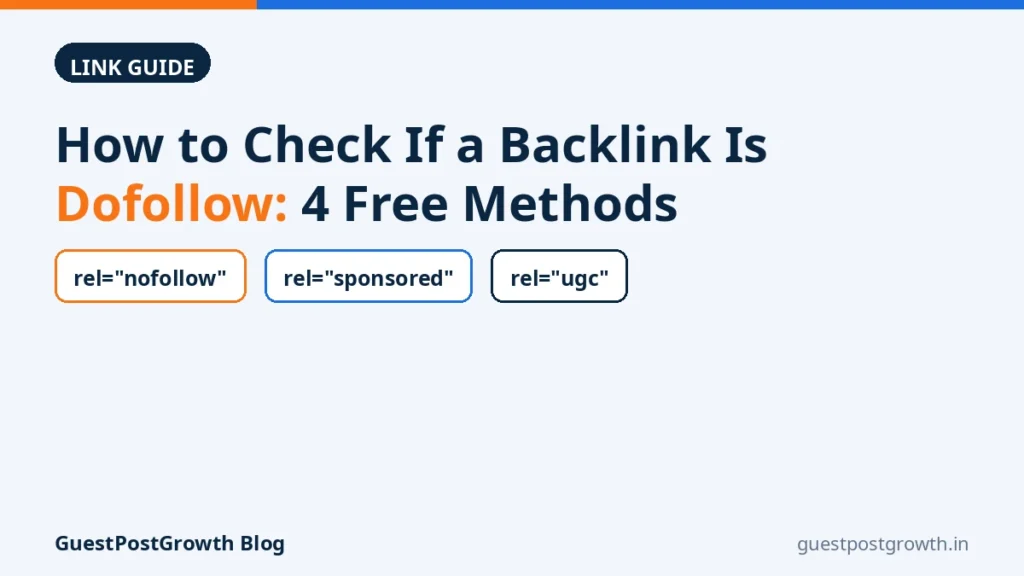
To check if a backlink is dofollow, open the page that links to you and look at the link itself in the page’s code. If the anchor tag carries rel="nofollow", rel="sponsored" or rel="ugc", the link is not a plain followed link. If the tag has no rel attribute at all — or only unrelated values such as noopener — the link is followed, because followed is the default state of every link on the web. There is no rel="dofollow" tag: “dofollow” is simply the name the industry gives to a link nobody has marked up.
You need neither a seller’s word nor paid software for this. The four free methods below — page source, a browser extension, an online checker and your SEO tool’s report — each take under a minute per link, and together they catch the cases where the simple answer is wrong: a clean-looking anchor on a page that nofollows everything, or a tool reporting a status the live page no longer has.
What you are actually looking for: the rel attribute on the anchor tag
Every link is an anchor tag in the page’s HTML. A plain, followed link looks like this: <a href="https://yoursite.com/page">anchor text</a>. The same link marked as not followed looks like this: <a href="https://yoursite.com/page" rel="nofollow">anchor text</a>. The rel attribute — short for “relationship” — is where the linking page declares what kind of link it is, and values can combine: rel="nofollow sponsored" is valid. Two values cause most of the confusion: noopener and noreferrer concern browser security and referrer data, not following — a link carrying only those is still followed.
Method 1: View page source and find your link
- Open the page that links to you.
- Press Ctrl+U (Cmd+Option+U on a Mac), or right-click the page and choose “View page source”.
- Press Ctrl+F and search for your domain name.
- Find the
<a ...>tag containing your URL and read its attributes. - No
relattribute — or onlynoopener/noreferrer— means followed.nofollow,sponsoredorugcmeans it is not a plain followed link.
One refinement: page source shows the raw HTML the server sent. If the site builds links with JavaScript, yours may not appear there at all — then right-click the visible link and choose Inspect, which shows the link as rendered in your browser.
Method 2: Browser extensions that highlight nofollow links
Free extensions — the long-running “NoFollow” extension for Chrome and Firefox is the best known — outline every nofollow link on the page, typically with a red dashed border, and show the attribute on hover. For scanning a page with many links, this is the fastest method of the four: the marked links simply light up.
The limitation is scope: it only sees pages you open, one at a time — spot checks, not audits of hundreds of links. It also reads the page as rendered in your browser, which can differ from what another visitor (or crawler) is served.
Method 3: Free online dofollow checkers
Online checkers flip the workflow around: paste the URL of the linking page (some also ask for your domain), and the tool lists the links pointing to your site with their rel values. Genuinely useful on a phone, where you cannot install extensions, or for a handful of pages quickly.
Treat the answer as a second opinion, not a verdict: a checker fetches raw HTML from its own server, so JavaScript-injected links can be missed entirely, and checkers occasionally disagree. You are also handing a third party the URLs you check — harmless for public pages, but do not paste anything unlisted. For any link that matters, confirm the result with Method 1.
Method 4: Your SEO tool’s backlink report (and its crawl-lag catch)
Ahrefs, Semrush, Moz and similar platforms record link attributes in their backlink reports, usually with a followed/nofollowed filter. This is the only method that scales — how you check a whole profile, or a large delivered package, in one pass.
The catch is crawl lag: the report shows what the tool’s crawler recorded on its last visit, possibly days or weeks ago — not your link today. If the publisher changed the attribute yesterday, the tool shows the old status until it recrawls. Use it to find links needing a closer look, then verify those against the live page.
Reading the results: absent rel, nofollow, sponsored, ugc — what each means for the link you bought
| What you find | What it signals | What it means for you |
|---|---|---|
No rel, or only noopener/noreferrer |
Followed — the default | The standard link you expected; it can pass the usual link signals, subject to the page being indexed and relevant. |
rel="nofollow" |
“We link to it, but we do not endorse it” | Google has treated this as a hint, not a hard instruction, since 2019, and the link can still send traffic and discovery — but it is not what you paid for if the deal was a followed link. |
rel="sponsored" |
The placement is paid or compensated | Google’s recommended disclosure for paid links — an honest marker, not a defect. Expect it to be treated like nofollow for ranking credit. |
rel="ugc" |
Placed by a user, not the editors | Normal on comments, forums and profiles. Same hint treatment as nofollow. |
Three traps where the anchor tag alone misleads
- Page-level nofollow. A
<meta name="robots" content="nofollow">tag in the page’s head — or an equivalent X-Robots-Tag header — nofollows every link on the page, even when each anchor looks clean. Surprised by a result? Check the head of the source, not just your anchor. - Redirect links. If the
hrefpoints to the publisher’s redirect or tracking address rather than your domain, your link effectively lives on their redirector — read the href before the attribute. - Rendered versus raw. JavaScript can add or remove attributes after load, so raw source and rendered page can disagree. When methods conflict, compare the source (Method 1) with Inspect on the rendered page.
One honest consequence: under Google’s link-spam policy, a paid link is supposed to be qualified, and rel="sponsored" exists for exactly that. Sellers promising followed links are selling what the guidelines say should be disclosed — that tension is part of buying links, and our fuller explainer on dofollow vs nofollow backlinks covers what each type can and cannot do. Checking tells you what you received; it cannot turn a paid link into an earned one.
When to check: at delivery, and again later (attributes change)
At delivery. Work through the delivery report and check each link against what was promised: page, anchor text, target URL and follow status. Our published sample report shows the format to expect before you order. Follow status is only half the check — the linking page must also be in Google’s index for the link to register at all, the other verification buyers run: how to check if a backlink is indexed.
Again later. Attributes are not permanent: redesigns, plugin updates and sitewide policy flips can all change a link that was followed at delivery. Re-check important links after roughly a month, and a few times a year after that. This is also the honest limit of any seller’s promise — status can only be guaranteed as verified at delivery, because the linking site, not the seller, controls it afterwards. It is why our own dofollow package is built as 120 links verified dofollow twice — at placement and again before delivery, so anything that flips during the work is caught and replaced before the report reaches you.
Frequently asked questions
Does a link with no rel attribute count as dofollow?
Yes. Followed is the default state of a link, and “dofollow” is just the industry’s label for it — there is no rel="dofollow" attribute. A link is only not followed when the tag carries nofollow, sponsored or ugc.
Why does my SEO tool say nofollow but the page source shows no rel?
Usually crawl lag: the tool reports what its crawler saw on an earlier visit, before the attribute changed — in either direction. Tools can also fetch a different rendering than your browser shows. The live page is the truth for today; the tool catches up on its next crawl.
Can a site change my link from dofollow to nofollow later?
Yes — the attribute belongs to the linking site, and redesigns, plugin updates and policy changes can alter it at any time, without notifying you. Delivery-day verification is a snapshot, not a lifetime guarantee, which is why periodic re-checks are worth the few minutes they take.
Is a sponsored link worthless?
No. It tells Google the placement was paid — precisely the disclosure Google asks for — and the link can still bring referral traffic, visibility and discovery. What it should not be counted on for is passing ranking credit the way a followed editorial link might.
How do I check follow status on a mobile page?
Use Method 3: open a free online checker in your phone’s browser and paste the linking page’s URL — mobile browsers generally offer neither view-source nor Inspect. Or check later on a desktop with Method 1; the attribute is a property of the page’s code, not of the device you check it on.
Run these checks on any report — including ours. The DoFollow package exists because this verification is the product: every link checked twice, and replaced before delivery if it reads nofollow. For other link types, the rest of the range is in the backlinks store.
Ready to Buy Links the Honest Way?
Browse 1,500+ guest post sites with prices shown upfront, or compare guest post and niche edit packages in the store — every delivered editorial link is covered by our 12-month replacement promise.